
Forefront TMG 2010 has been built on top of the core capabilities delivered in Microsoft Internet Security and Acceleration (ISA) Server 2004/2006 in order to deliver a comprehensive, enhanced and integrated network security gateway. Forefront TMG provide additional protection capabilities to help secure the corporate network from external/Internet-based threats. Forefront TMG 2010 prevent abuse of networks from internal and external entity. Forefront provide more management capabilities in terms security and protection. Forefront TMG 2010 is available in Standard Edition and Enterprise Edition. Standard version does not support Array/NLB/CARP support and Enterprise Management. For E-mail Protection both version requires Exchange license.
Forefront TMG 2010 provide the following enhanced protection capabilities:
Understanding Network Topology
The following Forefront TMG network topologies are available:
- Edge firewall—In this topology, Forefront TMG is located at the network edge, where it serves as the organization’s edge firewall, and is connected to two networks: the internal network and the external network (usually the Internet).

- 3-Leg perimeter—This topology implements a perimeter (DMZ) network. Forefront TMG is connected to at least three physical networks: the internal network, one or more perimeter networks and the external network.

- Back firewall—In this topology, Forefront TMG is located at the network’s back-end. Use this topology when another network element, such as a perimeter network or an edge security device, is located between Forefront TMG and the external network. Forefront TMG is connected to the internal network and to the network element in front of it.


- Single network adapter—This topology enables limited Forefront TMG functionality. In this topology, Forefront TMG is connected to one network only, either the internal network or a perimeter network. Typically, you would use this configuration when Forefront TMG is located in the internal corporate network or in a perimeter network, and another firewall is located at the edge, protecting corporate resources from the Internet.

Functionality of a single network adapter topology
The single network adapter topology enables limited Forefront TMG functionality, that includes:
- Forward (CERN) proxy for HTTP, HTTPS, and CERN proxy FTP (download only).
- Web caching for HTTP and CERN proxy FTP.
- Web publishing. HTTP-based communications, such as Microsoft Office SharePoint Server, Exchange Outlook Web Access 2007, ActiveSync®, and remote procedure call (RPC) over HTTP (Outlook Anywhere, Terminal Services Gateway or WSMAN-based traffic).
- Dial-in client virtual private network (VPN) access.
Limitations of a single network adapter topology
The following limitations apply when you use the single network adapter topology:
- Server publishing and site-to-site VPN are not supported.
- SecureNAT and Forefront TMG Client traffic are not supported.
- Access rules must be configured with source addresses that use only internal IP addresses.
- Firewall policies must not refer to the external network.
Hardware Requirements
Systems requirements depends on number of users and deployment scenario. Forefront TMG is a vital part in a ICT infrastructure. To achieve best performance, you must add best processing power and memory in TMG server however the following will give you an optimum performance.
Processor- Intel Xeon (Dual core/Quad-core/i7) or AMD Opteron (dual core/quad core). Intel Hyper-Threading Technology enabled in bios if Intel server board.
RAM-8GB
Disk Space –50GB systems partitions and 150GB logging +60GB-100GB Web caching in a separate partition. RAID 5 config would be highly recommended.
NIC- 2 Gigabit NIC with redundant config (number of NICs depends on deployment scenario)
Important! Forefront TMG has been built on 64 architecture.
Operating Systems and features
Windows Server 2008 SP2 64 bit or Windows Server 2008 R2
Microsoft .NET Framework 3.5 SP1
Windows Web Services API
Network Policy Server.
Routing and Remote Access Services.
Active Directory Lightweight Directory Services Tools.
Network Load Balancing Tools.
Windows Power Shell
Windows Installer 4.5
Important! It’s not recommended to install any application or programme in TMG server other then antivirus program. It must be a dedicated server for Forefront TMG. Disable unnecessary services after installing operating systems. Install Machine Certificate from Enterprise Root CA Authority before installing TMG. TMG server must be a member of Active Directory Domain.
Installation of Forefront TMG
Prepare a 64 bit Windows Server 2008. Insert Forefront TMG DVD into the server. Run preparation tools.

Click continue on UAC authorization prompt.


Check Launch TMG installation. Click finish.


Add ranges of internal IP address For example: 10.10.10.1 to 10.10.10.255. You can as many subnet ranges as you have for internal networks.


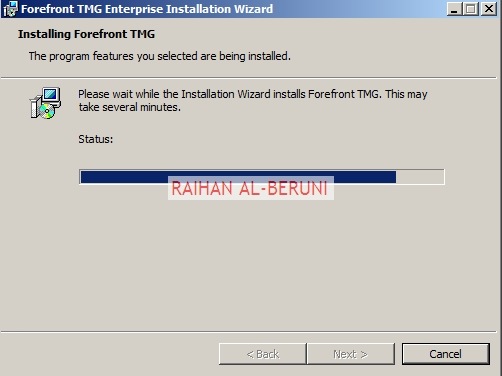


Open Forefront TMG Management from start menu. TMG will automatically prompt you for initial configuration.

Step1: Network Setup Wizard—Use to configure network adapters on the server. Network adapters are associated with a unique Forefront TMG network. Note that you must have static IP address in all NIC of TMG server before you proceed for network settings.


This is highly important part of config because in this section you will mention what type of network topology you are going to use. Here, I am configuring De-militarized Zone (DMZ) or 3-Leg Perimeter. You have to select your desired config.


In this section, you have to select the behaviour of the traffic among internal, perimeter (DMZ) and external network. For example, My Forefront TMG 2010 server has been configured to route between internal and perimeter and NAT in between perimeter and external as I choose private networks in perimeter. So that I can hide IP addresses of my perimeter networks.


Step2: System Configuration Wizard—Use to configure operating system settings, such as computer name information and domain or workgroup settings


Step3: Deployment Wizard—Use to configure malware protection for Web traffic, and to join the customer feedback program and telemetry service.


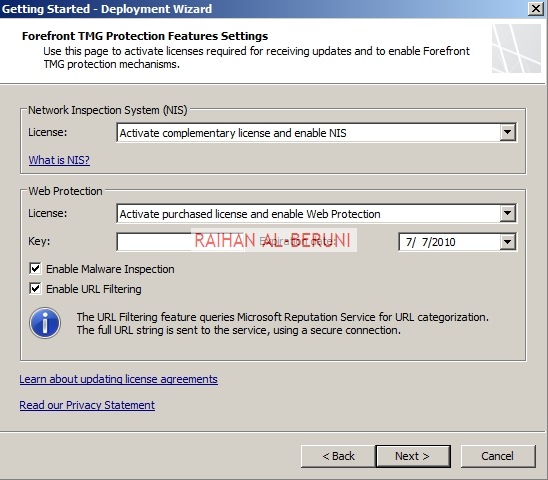


Networks, Proxy and Update Configuration
Open Forefront TMG Management. On the left hand pan, Select Update Centre. Click configure settings on task pan. Set update policy. If you have Windows Server Update Services (WSUS) then you may select WSUS or use Microsoft update services.

Select networking>Select Networks Tab>Double click on Internal. You will be presented with Internal Properties. Configure all the tabs as shown below.


In the domain tab, add internal domain(s). For example: *.wolverine.com.au


In the web browser tab, check Bypass Proxy… and Directly Access….

Verify all your internal IP addresses you added during installation. In this window you can add more internal IP addresses if you want.

Check Publish Automatic Discovery information for the network and use port 80 as default.

In Forefront TMG Client settings, Check Enable Forefront TMG client support for this network. un-check Automatically detect settings and Use automatic scripts.., Check Use a Web proxy server

In the Web Proxy Tab, Enable HTTP and use port 80 as default. However, you can use port 8080 if you want. Click on authentication and check integrated. Click on advanced and check unlimited. Now Apply and ok.


Apply changes.


Now repeat all these config for perimeter networks as you did for internal networks.
Connecting Active Directory, DNS and DHCP
Setup connectivity with Microsoft Active Directory, DNS and DHCP. Click on monitoring>click connectivity verifiers>Click Create New Connectivity Verifier. Create connectivity for Active Directory, DNS and DHCP.


Click Next and Finish. Repeat it for DNS and DHCP. If you have a upstream Proxy, connect to upstream proxy using similar method.
Create HTTP and HTTPS rule
By default all access rules are denied. Now Create web access rules for internal networks allowing HTTP and HTTPs traffic pass through from internal network to external and perimeter. Also allow HTTP and HTTPs traffic pass through from perimeter to external and internal. Click Firewall Policy>Click Create Access Rule on Task Pan.


Test Forefront TMG Setup
Now moment of truth. Log on to a computer using domain user credential in any internal network. Setup proxy in IE connections and browse internet.


 Thumps UP.
Remote Management Console Installation
Forefront TMG is 64 bit but downloadable 32 bit TMG Admin Console available on this Microsoft link
Insert the Forefront TMG DVD into the DVD drive, or run autorun.hta from the shared network drive.
On the main setup page, click Run Installation Wizard.
On the Installation Type page, select Forefront TMG Management only.
On the Installation Path page, you can change the default installation path.
On the Ready to Install the Program page, click Install.
After the installation is complete, if you want to open Forefront TMG Management select Launch Forefront TMG Management when the wizard closes.
References:
Downloadable TMG Admin Console
Interoperability with BranchCache solution guide
Share this on 


 Blog by Raihan Al-Beruni
Pingback: Migrating a single ISA Server to Forefront TMG 2010 Step by Step « Information Technology Blog
This is a good resource.. Thanks for posting.
LikeLike
Great work….thanks for posting
LikeLike
Great work, Thanks for posting.
How do we configure Multiple TMG servers For redundency?
For redundency does both TMG servers needs to be joined in AD?
LikeLike
Hello Mohsin,
You need TMG enterprize version. Once you configured primary TMG server. Then install second one, at the begining of installation it will ask you to join with another TMG Array or configuration and storage…. Once join the array, it will get all the config.
Both TMG servers must join ADDS. Otherwise you will not be able to install certificates and configure integrated authentication for internal network.
Regards,
Raihan
LikeLike
Pingback: How to Configure Back-to-Back Firewall with Perimeter (DMZ) Topology—–Step by Step Guide « Information Technology Blog
Pingback: Exchange 2010 deployment in different firewall scenario « Information Technology Blog
i have forefront tmg install but my reports comes with IP addresses,but i want the reports to come with user name from my active directory
LikeLike
Hello Samuel,
TMG user activity report is a feature available in TMG SP1. Install SP1 using http://microsoftguru.com.au/2010/08/07/install-forefront-tmg-sp1/
Go to Logs and Report>Task pan> you will see user activity report. Before you do that you must connect TMG to AD using conectivity varifier and set integrated authentication.
Regards,
Raihan
LikeLike
yeah i have the verifier for AD and SP1 but still i see empty reports for user names but i get the reports for IP Addresses
LikeLike
I am not clear about your question. What report you want to see?
LikeLike
Pingback: How to configure reverse proxy using Forefront TMG 2010— step by step | MicrosoftGURU
i just want to ask about something ,,
how did u do your configuration NICS ? i mean u did something a bit wierd . (at least for me )
your DNS in same range of internal Network , isnt suppose to be in same perimeter network range ?
another question .. how i can build my DMZ network with 2 internal network ?
the ips of inetnal network are 192.168.1.0/24
the other one is 192.168.2.0/24
what ip should i put to internal NIC ??
Ty
LikeLike
Hello Sami,
Screenshots are based on test platform. In real life, 3-leg perimeter/DMZ or Back to back DMZ, internal NIC of TMG points internal DNS server and external NIC of TMG point public DNS server if it’s single server 3 leg perimeter. But if it’s back to back then it should be like my new blog http://microsoftguru.com.au/2010/06/17/how-to-configure-back-to-back-firewall-with-perimeter-dmz-topology-step-by-step-guide/
If you can send me your network layout then I can advise with specific info.
192.168.1.0/24 and 192.168.2.0/24 should be added in the internal network range of TMG. TMG will still have one nic in the internal side not two internal nic. You need to add vlan in layer3 switch or core switch. Please send me details of internal, perimeter and external IPs and layout. Then I advise, you can put x @the end of IP if you dont want to disclose.
LikeLike
thanx a lot
LikeLike
Thanks Raihan
LikeLike
Hi,
I have the following layout:
10.0.1.x as the internal lan,
and eg. 4.4.4.x as the external lan.
Now i have a hyperv host that hosts virtual machine for clients, those get 4.4.4.x range. Our internal machines (scvmm, sql, web, internal ad) etc all have 10.0.1.x ips.
We also have external AD/dns for our virtual machine clients, hosted on 4.4.4.x net.
Where should i put my TMG server? I would like to monitor the traffic from the virtual machines etc too, so i guess they need to go through the TMG as well.
Suggestions?
LikeLike
Peter,
First I dont understand what you mean by external LAN. Are you talking about external network or you have a 2nd site that you represent external lan? If you clarify these two then I give you right answer for you. whats sort of vm you hosting in hyperv?
But my guess#1: TMG for two different sites follow my new blog http://microsoftguru.com.au/2010/08/24/how-to-configure-site-to-site-vpn-using-forefront-tmg-2010/ in this situation you can put ad/dns/web in second sites and monitor and obtain report from both sites. Your hyperv must physically connecting to that 4.4.4.x vlan so that you add vm to that network.
Guess#2: Create a DMZ network for external client (in your language external lan) and placing all of them in that vlan. answer is back to back dmz or 3-leg perimeter. http://microsoftguru.com.au/2010/06/17/how-to-configure-back-to-back-firewall-with-perimeter-dmz-topology-step-by-step-guide/
If my guess is wrong then clarify those I mention earlier then I will provide perfect answer.
LikeLike
Hi,
Thanks for your feedback. Sorry for being unclear about the setup, i’ll clarify here:
We have 3 physical servers.
1: Hyperv host contains:
– AD01/DNS Internal 10.0.1.10
– AD01/DNS Public 4.4.4.2
2: Hyperv host contains:
– AD02/DNS Internal 10.0.1.11
– AD01/DNS Public 4.4.4.3
– SQL Internal 10.0.1.12
– WEB Internal 10.0.1.13 (needs access from internet)
– API Internal 10.0.1.14 (needs access from internet)
– SQL Internal 10.0.1.15
3. Hyperv host containrs:
– Purely virtual servers on 4.4.4.x (these are the customers’ virtual machines whihch needs to be accessible from the outside using RDP etc)
So basically, what i was thinking to setup is that the customer virtual servers are added to the AD0X public, and all our internal servers are added to AD0X internal. However, the Web and the Api (and maybe others in the future) needs to have an open port 80 from the internet on a public ip, since the web contains our homepage etc, and the api should be accessible from the internet too.
How would we set this up using TMG? Or should we do a different setup alltogether?
Thank you.
Peter
LikeLike
In your scenario, few things going on. 1.TMG Config 2. Publishing Web 3. RDP from extranet
Step1: Create DMZ—Place all 10.0.1.x in Internal Network, Place all 4.4.4.x in the DMZ network as you want customer to access. This is for security reason. You dont want your customer to access your internal network. http://microsoftguru.com.au/2010/06/17/how-to-configure-back-to-back-firewall-with-perimeter-dmz-topology-step-by-step-guide/ You may use 3-leg perimeter also.
Step2: Publish internal web server, API using reverse proxy functionality of TMG (Extranet client access internal web) http://microsoftguru.com.au/2010/08/08/how-to-configure-reverse-proxy-using-forefront-tmg-2010-step-by-step/
Step3: Create Terminal Services Gateway using Win2k8 TS (Extranet client will be able to do RDP to internal network). Allow RDP port in Router and TMG. download.microsoft.com/…/WS08TSGatewayServerStep-By-StepSetupGuide_En.doc
LikeLike
Hi again,
I’m a little bit unclear about the third point: “(Extranet client will be able to do RDP to internal network).”. I dont want our customers to be able to access our internal network, only their vps, eg 4.4.4.5. I also want to be able to access my internal servers from the internet, how do i do this? using vpn of some sort?
LikeLike
Sorry i forgot to ask about this:
Do we need the 2 internal AD servers and the 2 public AD servers? or can the perimeter network use the internal AD servers? If this is too much for the comment section, please leave me an email and we’ll talk $$$ for you to help us with the setup.
LikeLike
Hi Peter,
You dont need 2 AD server. If your internal DNS is ok for perimeter network. OK. if you dont want allow RDP then you can block it via TMG. type Public DNS or ISP DNS server IP in the external NIC of TMG server. You can email me on araberuni@hotmail.com for further help. Email me your visio diagram. Lets start from there. Let me know your location. I am on WST, Australia.
regards,
Raihan
LikeLike
Pingback: Configure 3-Leg Perimeter (DMZ) using Forefront TMG 2010—step by step | MicrosoftGURU
Hi,
I am trying to setup TMG with a single network adapter, I am having lots of problems, does anyone have a step by step installation for this type of configuration.
Thanks in advance,
LikeLike
Everything same as you see in the config other then two. 1) you just have one nic. 2) Select TMG server on left hand pan>Right hand side task pan, click Launch Gettting Started Wizard>Click Configure Network Settings>CLick Next>Select single network adapter> follow rest of the config.
By the way what problems you having? visit http://microsoftguru.com.au for more TMG config.
LikeLike
Thanks Raihan,
I will be installing the TMG in the DMZ with a single NIC, I do not have access to AD to authenticate the user and no copy of AD is available in the DMZ.
What would be the best options, we already have a CISCO VPN and access to OWA once authenticated, but users do not want to logon twice to access their e-mail.
Thanks again for your help…
LikeLike
see the steps DNS configuration for DMZ network mentioned in my blog http://microsoftguru.com.au/2010/09/01/configure-3-leg-perimeter-dmz-using-forefront-tmg-2010-step-by-step/ and DNS config for perimeter is here http://microsoftguru.com.au/2010/06/17/how-to-configure-back-to-back-firewall-with-perimeter-dmz-topology-step-by-step-guide/
Use integrated authentication in TMG. your user need not log on again. Hope that fix this issue.
LikeLike
Hello Raihan,
First of all, thank you very much for sharing your knowledge through your website. It helped a lot to install and configure Frorefront TMG properly. It works finally even with the web site filtering. I installed Forefront on a testing environnement I chose the back Firewall option which suits our architecture. However, I would like to filter specific URLs, but unless I’m mistaken with Forefront you only can set up a strategy within the framework of Forefront Microsoft startegy. Is there any chance to create our own startegy to filter some websites?
Thank you in avance for your help.
Amrai
LikeLike
Right Click firewall policy>New>Access Rule>
Actions:Deny
From:Internal
To:URL Categories & New Custom URL Set
Users:All Users
Apply
LikeLike
Good Post my friend, Appreciated
LikeLike
Pingback: How to configure Forefront TMG 2010 as WPAD server (Auto Proxy Discovery)—Step by Step | MicrosoftGURU
Hello,
Sorry to bother you Raihan. As I explained 2 weeks ago I installed Forefront TMG 2010 in a testing environment. I chose the the back firewall topology which requires 2 NICs. The installation worked perfectly thanks to your tutorial. However, I haveone question is there any means to change the back firewall topology into Single Network Adapter one? Or does it need the complete reinstallation of Forefront TMG to do that?
Hope my question is clear enough.
Regards,
Thanks for your help again.
Amrai
LikeLike
i just installed TMG in my Network, and i have one question about Inspection settings. there is i think last option “Block archive files if unpacked content if larger than (MB).” lets say restriction is set to 40 mb. when the user tries to copy 100 mb, tmg will throw a window that this user cant copy this file because of restriction…. is it possible to edit this error message…?
proxy error pages are editable. i found those html files and edited it… in this case if it is possible where to find it?
LikeLike
Right click on denial rules>property>Action>Advanced>Set custom redirected URL
You will see example url
http://technet.microsoft.com/en-us/library/ee914626.aspx
LikeLike
Please,
I have install forefront TMG with the ip 10.61.1.76 using single NIC .i have about 20 branches that connect to the forefront TMG as a proxy server at the head office for internet access.
Been working fine for some time now for all 20 branches. Suddenly some branch cannot get access to the internet with the forefront TMG set in the IE as proxy server. It is happening randomly. A branch that could not work at a certain time will work at other time.
I captured the logging from one branch pc with the ip 10.61.7.17
Below is the log
Denied Connection
Log type: firewall
Status: A non-SYN packet was dropped because it was sent bya source that does not have an established connection with the forefront TMG computer.
Rule: none-see result code
Source:internal(10.61.7.17:1481)
Destination:local host (10.61.1.76:8080)
Protocol:HTTP proxy
Will be very happy if you can help me fix this problem. Been working on to fix it for three week with no results.PLEASE HELP.SOS
LikeLike
There are always dropped packets constantly. It does not mean anything is wrong.
The SYN error means exactly what it says. All connections begi with a SYN packet followed by an ACK packet being sent back the other way,…then the regular data portion of the session begins after that. The error is just saying something is trying to communicated with data (non-syn) packets without the connection first being established.
You have virus/spyware infected machines in those branches. Most of these types of infections cannot be totally removed with AV or Anti-spyware tools. They get embeded in the user’s profile,…so first do a cleanup with AV or ASpy tools,…then you have to backup the MyDocs, files on Desktop, Favorites, ect,…then delete the user profile,…create a clean one,…copy the saved files back into it. Repeat for every user that has a profile ont he machine.
Clean install windows. Update service pack, run malware removal tools. add signature blocking rule and block conficker,blaster, worm, spyware etc..
LikeLike
ok,thank very much. i will do what you just told me and get back to you.
LikeLike
i want to install fr TMG in SBS 2008 64 bit OS.
I have read a message from MS saying that FR TMG will not work on the domain controller server.
Pl , i want to connect 15pcs with the server through TMG . reply me wheather i have to head and buy and install or not.
thanks
Mani.M
online Computers
AbuDhabi.
LikeLike
TMG does not work on domain controller for sure. You can virtualize TMG if you dont want to buy server. For 15 PC TMG standard will do.
TMG systems requirement http://www.microsoft.com/forefront/threat-management-gateway/en/us/system-requirements.aspx
TMG unsupported config http://technet.microsoft.com/en-us/library/ee796231.aspx
LikeLike
Salam Raihan,
I have installed FF TMG. I have published a website but unable to access it or browse it. Please guide me in this regard. Thanks alot for your knowledge sharing.
Regards,
Muhammad Younas
LikeLike
please explain more. What type of web sites? sharepoint, exchange or ordinary IIS. Did you add cname? external>internal or just for intranet.
LikeLike
Salaam Raihan,
I have exported fully functional ISA SE 2006 to newly installed Forefront TMG EE on server 2008 (as per standard requirment of TMG), after importing the configuration, i am not not to access my OWA and Intranet Site.
LikeLike
New TMG server got same fqdn and ip of ISA server or everything new. Did you imported certificates from previous ISA server to New TMG. Check IP addresses of external nic of TMG server that configured correctly. Check port forwarding for 443 to TMG server. Do you browse internet behind new TMG server.
Get back to me when you finish checking all these.
LikeLike
Salam Raihan,
We just want to upgrade ISA 2006 to TMG 2010 (not inplace). ISA server is single network. We want to upgrade with the same IP and the same NETBIOS.
Could you tell us step by step how to upgrade?
LikeLike
You will have a down time.
Step1: Complete Backup ISA 2006 and Shutdown
Step2: Build Win2k8 Server and Join domain using same name and IP
Step3:Install TMG http://microsoftguru.com.au/2010/03/08/forefront-tmg-2010-how-to-install-and-configure-forefront-tmg-2010-step-by-step/
Step4: Import Configuration http://microsoftguru.com.au/2010/03/10/migrating-a-single-isa-server-to-forefront-tmg-2010-step-by-step/
Step5: Apply changes, reboot. All done.
LikeLike
Hello,
How can I configure ISP Split between two LAN and two ISP Connection?
I want to configure LAN-1 to go through ISP-1 and LAN-2 to go though ISP-2.
Is it possible?
Thanks,
LikeLike
Here is solutions http://technet.microsoft.com/en-us/library/dd440984.aspx
LikeLike
tnx u man.but i got error about servermanagercmd.exe which stop.how can i solve this problem?
LikeLike
send the error code, event log
LikeLike
Dear Raihan,
You did a GREAT job here. Congratulations.
Now and 3 days i’m experiencing a problem here. My Forefront server started blocking all incoming Replies to our messages. actually when we send a message and they reply on it. All the rest seems working ok. I haven’t made any changes on any setting. Do you know why it started doing this?
Thank you in advance
Victor
LikeLike
Hello Victor,
As you said, you havent made any changes, still I would suggest check your firewall rules again whether anything added or not. Did you applied any patch on server or TMG. Install TMG SP1 and see how it goes. Do you see any event in event log? install service pack on server and tmg. let me know.
Regards,
Raihan
LikeLike
Dear Raihan,
If you have a step -by -step load balancing guide
It will be great and also what is the recommendation to do so, by single network adapter or tow network adapters, the best practice for that,
Best regards,
Tarek
LikeLike
Dear Raihan,
If you have a step -by -step load balancing guide
It will be great and also what is the recommendation to do so, by single network adapter or two network adapters, the best practice for that,
Best regards,
Tarek
LikeLike
http://microsoftguru.com.au/2010/06/10/install-and-configure-forefront-tmg-2010-enterprise-management-server-ems-for-centralized-management-step-by-step/
http://technet.microsoft.com/en-us/library/dd440984.aspx
Single network adapter is not a good idea. If you tell me the purpose or design of network then I can advise more specific to your your need.
LikeLike
Is it possible to have 1 upstream proxy with 2 sets of credentials and even tie in with Security Groups? ie. Admins have an ‘unfiltered’ username and password and Staff have ‘filtered’ ?
Cheers, Aaron
LikeLike
Yes you can configure that way.
LikeLike
I would appreciate some help with this please? 😀
LikeLike
Dear Raihan,
Thank you for your reply,
I need the TMG to publish only the OWA exchange,
regards,
Tarek
LikeLike
To publish OWA you need to configure either reverse proxy or DMZ. see more http://microsoftguru.com.au/2010/05/28/exchange-2010-deployment-in-different-firewall-scenario/
You can do it through single nic thats not enough secure. Configure Edge or 3-leg perimeter using TMG
http://microsoftguru.com.au/2010/04/09/forefront-tmg-2010-publishing-exchange-server/
LikeLike
Thank you for this excelent post!
LikeLike
Pingback: Blogging year 2010—-what stats says | MicrosoftGURU
really good support
LikeLike
This was very helpful and easy to follow.
I still have some issues with my configuration; I your help is greatly appreciated.
• I have configured a TMG2010 as a Domain member with two NICs, one internal and an external one on the DMZ, my goal is to explicitly use it TMG for External OWA and Mobile devices connectivity and users only need to authenticate once. I do not want internal users to use TMG to authenticate
This is what I have completed:
• Configured a firewall policy for OWA/Listener.
• Re-used the same SSL certificate we are using internally for the external access.
• I can now access the external URL but still need to add “/OWA” at the end of my URL to have it working.
What I am having problems with is:
• Having to add “/OWA” at the end of the URL
• I still need to authenticate twice, it looks like pass-through authentication is not working
• Customize the forms to allow for branding
• Enable the external mobile connectivity
Any help will be appreciated,
Regards,
Abdellah El Bilali
LikeLike
Right click OWA publishing rule> property>Change public name of the url that will do point webmail automatic to whatever site you want. On your CAS server please check what type of authentication has been selected. pls select appropriate authentication. Does TMG integrated to AD. please proper connectivity verifier in AD. that should solve your problem
LikeLike
Salam dear,
i have installed an infrastrcture with the new TMG 2010 . the existant infrastructure already had an ISA 2000 and a “network behind network” , the remote one is a remote office wish access the LAN trough and leased line directly connected to the LAN switch .
here’s a simplified diagram :
(Remote office : 110.100.100.x )—–leasedline———–|(LAN :100.100.100.X)
| servers and, client have DefaultGateway 100.100.100.201
|
(Internet) =============(TMG:100.100.100.201)=|
the hole thing works great with isa 2000 client from 110.100.100.x was able to access servers directly. we changed the ISA 2000 with the new TMG et everything goes wrong .
we are able to do a ping from 100.100.100.X to 110… but anaything else wont pass , and i see a lot of a non-sync packet dropped ….message in the realtime report .
all the routing information are correct both in clients and TMG ,all networks are correctly defined as pretected network with the good routing rule in the TMG console .
i tried the one ” http://blogs.technet.com/b/sbs/archive/2007/11/29/network-behind-a-network.aspx” but it dose not solved the problem .
i m looking for anything to do . any ideas are welcom .
thanks in advance .
LikeLike
I am ready to help but you need to help me explain your config. If the diagram shows in the url is same in office. Then you should do things a bit differently. What type of topology you are using in TMG? Eg, Edge, Back firewall, Single NIC etc. As you mentioned TMG as your default gateway. I reckon , you are using Edge Firewall.
Step1: Create Site to Site VPN using your Router/Cisco 877/Modem between Site HQ & remote site
Step2: Route IP 110.100.100.x to 100.100.100.x and vise-versa
Step3: Place TMG behind the Router in Site HQ
Step4: Configure Edge Firewall in TMG & Add both IPs in the internet network of TMG
Step5: Allow Policy for Routing, Ping, DNS, DHCP between both IP ranges in TMG
Step5: Allow Http & Https
You are good to go. If you have two sites and TMG configured single nIC as shown in your URL. This might not work properly. By default TMG block everything, you need to open ports one by one whatever your need is. Please let me how you going.
Site to site VPN http://microsoftguru.com.au/2010/08/24/how-to-configure-site-to-site-vpn-using-forefront-tmg-2010/
Cisco 800 Series router config http://microsoftguru.com.au/2010/08/18/cisco-800-series-router-configuration-guide/
Forefront TMG Step by Step http://microsoftguru.com.au/2010/03/08/forefront-tmg-2010-how-to-install-and-configure-forefront-tmg-2010-step-by-step/
LikeLike
I’m having issues with my TMG 2010 install (std)
12202
The Forefront TMG denied the specified Uniform Resource Locator (URL).
for direct internal IP
also have another product that does a https check on a address that won’t connect to… say’s it can’t find it. If i go directly thru my browser it works just fine… but not thru this app… worked finr prior to tmg.
I’m beating my head on the ground… any help?
LikeLike
Did you add connection verifier with AD DS?
Di you publish that url in TMG you are trying to access?
By default TMG block everything unless you define it.
LikeLike
Raihan,
Thanks for this article, I have followed it step by step but still haven’t accomplished to get the tmg running.
I installed tmg 2010 on windows 2008 R2, I want all LAN traffic to go through this server to do some serious URL blocking, so I chose edge firewall to begin with, I don’t have AD, I’m not using domains, I currently have a 20pc LAN with a router for NAT. So in the server I have two NIC’s, 1st one configured as:
WAN connected directly to cable modem
public ip: 194.180.x.x/24
gw: 194.180.x.1
dns: 194.180.x.x
LAN connecteed to a switch where other computers will connect too
ip: 10.10.10.1
gw:
In the network and sharing center it says WAN NIC has internet access but LAN does not.
I have created firewall rules allowing internal to have http and https access, there’s not a bond between LAN 10.10.10.1 and WAN 190.184.x.x . What can I do.
thank you very much in advance.
LikeLike
Are you able to browse internet on TMG server? Your proxy server IP and port need to be configured on client’s IE. If you configure edge firewall than routing will be autmated by TMG. you need to create rules such as for http, https, ftp etc. In your situation default gateway of client would be your TMG’s internal nic.
You also need an authentication method for client such as Active Directory. Deliver proxy settings through GPO. setup connection verifier in TMG. than client will get internal once they log on using AD account.
LikeLike
Yes, I am able to browse internet on the TMG server. what gateway the internet network nic should have? itself? like this:
ip 10.10.10.1
gt 10.10.10.1?
internal nic says it has internet access only if it is in same ip network as external. but the ideal should be external with a public address and internal with a private one.
is there a way to do it without AD authentication? I feel like by just creating the firewall rules allowing access from internal to internet and and routing and nating networks should be enough.
I would appreciate one final advise, thank you.
LikeLike
External NIC of TMG must have IP, Mask, DG, DNS
Internal NIC of TMG Must have IP, MASK, DNS ***no DG**
Your internal client must authenticate to go outside. If there is no authentication than how TMG verify whos who. Finally, add internal networks IP addresses into internal ip range of TMG. check. I am sure, TMG is declining request because of authentication failure.
LikeLike
Hi great article. It was my guide when I set up my TMG server.
But I’m having troubles with it, can you give a little help :).
I’m trying to setup the following.
The TMG server has 4 networks. It will be my only router in my infrastructure,so it should be able to route between networks.
1 – ISP (public IP)
2 – DMZ (192.168.101.91/24)
3 – Internal Clients(192.168.1.1/24)
4 – Internal Servers (192.168.7.101/24)
During the initial configuration I had setup 3-leg topology and there I listed the first 3 network adapters with the idea to add the fourth later.
So I went to networks and added new Internal network Named Internal Server network and added IP range for my servers subnet.
The problem is that in my routing table keeps “auto adding” persistent route for server network:
192.168.7.0 255.255.255.255 192.168.7.101. And this is cousing my server network to not be able to be routed via TMG.
I looked everywhere even compare Client internal and server internal but I couldn’t find any difference but the route keeps adding itself.Tried to deleted it but without success. I couldn’t find some dependency which couse it to “auto add” itself…
LikeLike
Is it adding in TMG server or your separate server? TMG must not auto add persistant routing unless you specified separate routing rules in TMG. Please explaina bit
LikeLike
Hello Raihan,
i have installed a new forefront tmg 2010,but i am not able to PING or do a remote desktop the server from my workstation.please help me to fix this problem,thank you
LikeLike
Check RDP services started and automatic
Check Remote administration Allowed in Windows firewall
Check RDP allowed in remote settings
Publish rules in TMG allowing rdp to the server from internal network
Telnet Servername 3389 (check port is listening)
Restart TMG server
Let me know how it goes.
LikeLike
Thanks, its working now ,i had to create a rule (allow all outbound from :internal,localhost to: external,localhost) before it worked.The reason why i reinstalled my forefront tmg is not solved.
i have 23 branches with different subnets,
10.61.2.0
10.61.3.0
10.61.4.0
..
10.60.23.0
My forefront TMG is on 10.61.2.0 subnet
and the defaults gateway is 10.61.2.251.
so i have my routing in the forefront as
Network Destination:10.61.0.0
Netmask:255.255.0.0
Gateway:10.61.2.251
metric:1
All the pc in the networks uses the forefront tmg as proxy.
All the pc`s on the subnet 10.61.2.0 are able to access the internet at all times
but although the other subnets too can get access to the internet but is not all the times.its off and on.it will work for awhile and the next minute will go off.
I have been having this problem of a while
please help me .this is my 3 forefront tmg i have installed just to solve this problem .please i really need help
LikeLike
Hi,
i have installed FTMG 2010 in single adapter mode.how can create access policy to allow internet access.
thanx
LikeLike
Right Click on Firewall Policy>New>Create New Policy
LikeLike
AOA
Raihan Bhai how we activate Yahoo Webcam on TMG server.Please Tell me.
Regards
LikeLike
Which port yahoo webcam run? Open that port and add a policy allowing yahoo webcam. what is Bhai?
LikeLike
bhai mean brother.still i have no port add in tmg for web cam.please tell me which and how we add port in tmg serverplease tell me its procedure.yahoo webcam is not running at our user end .its give network error message.plz help me
Regards
LikeLike
Firewall Policy>Task pan>Tool Box>Protocols>User-Defined
Select user-defined>New>Protocol>
This is how you add custom protocol. Once you finish adding custom protocol, create a policy allowing this protocol for internal client
LikeLike
thanks raihan,
i have done that,but is it external that i am supposed to select as destination and what does external indicate?
LikeLike
Thanks, its working now ,i had to create a rule (allow all outbound from :internal,localhost to: external,localhost) before it worked.The reason why i reinstalled my forefront tmg is not solved.
i have 23 branches with different subnets,
10.61.2.0
10.61.3.0
10.61.4.0
..
10.60.23.0
My forefront TMG is on 10.61.2.0 subnet
and the defaults gateway is 10.61.2.251.
so i have my routing in the forefront as
Network Destination:10.61.0.0
Netmask:255.255.0.0
Gateway:10.61.2.251
metric:1
All the pc in the networks uses the forefront tmg as proxy.
All the pc`s on the subnet 10.61.2.0 are able to access the internet at all times
but although the other subnets too can get access to the internet but is not all the times.its off and on.it will work for awhile and the next minute will go off.
I have been having this problem of a while
please help me .this is my 3 forefront tmg i have installed just to solve this problem .please i really need help
LikeLike
Hi i need ur help.
i have configure gmail account on outlook but i am not able to use through tmg proxy server.
LikeLike
How you know TMG is blocking outlook? Check live connections on TMG. Take a report and see. I reckon you miss-configured outlook.
LikeLike
Dear Raihan,
I want to use two different internet connections together from different ISPs.
ADSL and Satellite.
ADSL used manual proxy and Satellite used no proxy.
Can I do that in ISA 2006 or TMG 2010?
How to configure it. please help me.
Thanks.
LikeLike
I am a newbie in networking.
Can I use loadbalancing on the ISA 2006 with ADSL manual proxy and Satellite no proxy from different ISPs.
please help me with step by step procedures.
Thanks.
LikeLike
Here is ISP redundancy config http://technet.microsoft.com/en-us/library/dd897038.aspx
If you do load balancing than you need to use proxy.
LikeLike
Hello,
i have a headoffice with branches accross the country,from the headoffice,users can browse the internet through ftmg proxy,but my branches cannot browse the internet ,they go thru the tmg proxy too.prior to do this,they can.what am i not doing well or what has gone wrong???
LikeLike
You need to explain how HO & Branch is configured using TMG. Is it site to site VPN config? You must allow http & https from all the branches to go to internal. all site ip must be added into HO TMG internal network.
LikeLike
Thanks Raihan,
How can i export firewall and web access policies from TMG,i encountered obstacle when browsing for the file path,it seems to be looking for a file.pls can u direct me how to
LikeLike
Hi sir,
I need a help from u… i have 2 domains in different vlan’s.. and the TMG 2010 is in workgroup. how can i control the users .. now everybody has access to internet. Same time i’m not able to upload or download from the ftp sites. i did ftp allow and removed the check mark from read only.. but still i can’t.. pls help.. waiting to hear from u
thanks
LikeLike
Does TMG server part of domain?
Do you have cross forest trust or just single forest config?
Make TMG server as domain member.
Add connection verifier
Add policy to allow or block internet.
LikeLike
TMG is not on domain its in workgroup in separate vlan
The two domains are single forest config..
How to add this connection verifier?
LikeLike
AoA,
I have downloaded Microsoft ForeFront TMG Enterprise Edition from Microsoft website, when the installer is begin it show the error messege “Package Integrity distribution”…. Please help me regarding this error.
Note: I am running Windows 2008 server on my Server machine(DELL PowerEdge 2600).
LikeLike
What version of Win2k8 ?
Please check system requirement and download correct ISO from Microsoft Download center or Technet.
LikeLike
Thanks for reply.
I am using Windows Server 2008 (Enterprise Edition) with SP1 without Hyper-V.
And my system specification is: Dell PowerEdge Server 2600 (2.6 Mhz with 2 GB RAM, 400 GB Harddisk).
Regards
Kashif noor
LikeLike
Hi,
I am facing problem with gotomeeting client communication via TGM2010 firewall. and Have noticed that its actaully dropping packet with the following error
http status
1790: the network logon failed.
LikeLike
Please add connection verifier in TMG. Add Active Directory and DNS connection verifier. You have authentication problem.
LikeLike
Pingback: Configure non-domain Forefront TMG to allow traffic from domain members and domain clients | MicrosoftGURU
Thank you but you did not say any thing about where dhcp shout sit?
LikeLike
DHCP placed in your internal network other than any special requirement.
LikeLike
Hi sr, May I have your help finding TMG 2010 reverse proxy information?…
Thanks a lot.
LikeLike
http://microsoftguru.com.au/2010/08/08/how-to-configure-reverse-proxy-using-forefront-tmg-2010-step-by-step/
LikeLike
Pingback: FF TMG 2010: Configure ISP Redundancy— Step by Step | MicrosoftGURU
Hello Terry,
I do not recommend to use single NIC TMG. Single NIC is less functional than Edge configuration. There are three web listener in your case a)Sharepoint b)OWA c)IIS. Your communication is going via Cisco Pix. Please change your layout and use TMG as back firewall and reverse proxy and put Cisco firewall as front end. Alternatively, use back to back firewall and reverse proxy.
Let me know if you need further info.
regards,
raihan
LikeLike
Hello
It is great posting. i have made two firewall rules in tmg 2010. 1. FROM (URls for all Org) TO specific website { users are permited to visit specific websites only}
2.FROM I.T Department TO external {every thing is permited in these specified IPs}
now the second rule is okay the first rule is not showing any thing to user and user can’t browse the specific website too. if i add proxy in IE lan setup it show me a block message.
Please help what to do
Regards
LikeLike
users can not be in both allow and deny groups. than allow take precidence. Please add correct AD group in TMG such IT, Sales, Marketing, HR etc and apply rules for those groups.
LikeLike
Users are not in both allow and deny groups. I.T department IPs are different and other users have different IPs.
Regards
LikeLike
hello rehan
I m going to deploy microsft exchange server2010, Fore front TMG in a new environment…can u help me in this matter..furthermore there is another in which i will be needing ur help that is migrating from 2007 t0 2010…
I read ur profile and its quite amazing ..therefore awaiting ur positive response..
LikeLike
All Exchange related posts are here http://microsoftguru.com.au/category/exchange-server-2010/
TMG related posts http://microsoftguru.com.au/category/forefront-tmg-2010/
Please visit those two category. scroll down and everything is there.
LikeLike
i m regarding ur help seriously in migration from exchange 2007 to 2010….i m not confident enough…kindly help me in this regard…further more if u kindly give me ur email address…or msn id so that i can chat with when doing the project
LikeLike
hello sir,
i deploy the forefront tmg 2010. ip have two nic.
internet(wan) and lan. at lan nic ip 192.168.98.1/24and 99.1/24.i want to access any website from 192.168.98.50 without proxy.how to configure witout proxy web access rule in forefront tmg2010. i am able to ping from 192.168.98.50 to isp gateway server but not access the internet.
LikeLike
If you are behind proxy, without proxy you will not be able to use internet. This is the default nature of proxy.
LikeLike
I have installed TMG 2010. Wpad entry is there in DNS and DHCP Server. i don’t add my client in Domain. whenever they go to browser they get username and password screen and then browse internet. the problem is that the skype, yahoo messenger , gtalk & msn doesn’t work. please tell me how to do that or give me link that show each step how to do that.
LikeLike
proper WPAD config http://microsoftguru.com.au/2010/10/16/how-to-configure-forefront-tmg-2010-as-wpad-server-auto-proxy-discoverystep-by-step/
if you define “All Users or Authenticated Users or Users Group” can access internet in TMG than TMG will block rest of the connection. You have to add client in domain or configure TMG as workgroup. http://microsoftguru.com.au/2011/03/27/configure-non-domain-forefront-tmg-to-allow-traffic-from-domain-members-and-domain-clients/ opposite direction is true as well.
LikeLike
Raihan,
First of all thank you very much for your reply.
i have 2 servers
1 AD,DNS,DHCP = 192.168.0.2 Domain (ntec.local)
2 TMG = 192.168.0.1
My DHCP Range 192.168.0.1 to 192.168.2.255 Subnet 255.255.252.0.
I have followed your 2 web URL and configure WPAD on DHCP and also configure authenticate Server on TMG.
Problem.
1. Wpad is working as i am getting username and password screen on IE but not on Chrome, Mozila or Safari
2. when i put my username i.e NTEC\mac and password it doesn’t authenticate and i am getting following message from TMG
“407 Proxy Authentication Required. Forefront TMG requires authorization to fulfill the request. Access to the Web Proxy filter is denied. (12209”
Please help me out as your help really matters to me.
Thank you very very very Much.
LikeLike
Basically i want my my client to use internet without adding them in domain and with authentication
LikeLike
Dear Sir,
i want to monitor that which user is downloading heavy file due to this my network slow. how can i do it in TMG server standard edition. all users in Active directory. your quick response would be highly appreciated.
Thanks,
LikeLike
Hello Sonu,
Install TMG SP1 in your TMG server. Generate a custom report from TMG. You can setup download limit. Right click on http and https policy>Configure HTTP>Setup payload. Thats all. Regards,
Raihan
LikeLike
Hello Raihan,
How can i come to konw that who is sending request to the printer…i.e If A printer Is attached on LAN then who is sending request to the printer..
Your quick response will be much appreciated
LikeLike
That is How will I know that which Ip is sending request to printer….is this Possible..
LikeLike
Dear Sir,
When I am trying to take report form the TMG logs&reports option,it is not displaying any information.
LAN
192.168.1.250
gateway:192.168.1.10(Domain controller)
WAN
192.168.10.250
gateway 192.168.10.254(Router)
Whether I have missed something in configuring the reports
Regards
Sebastian
LikeLike
what sort of report you trying to obtain? Did you install TMG SP1 if not please install TMG SP1
LikeLike
Dear Sir,
How to setup logs& Reports option in forefront.
I have tried to configure the same but coming only blank report
Regards
Sujith
LikeLike
Please install TMG SP1 on your TMG server. If there is no logs to show than it will be blank.
LikeLike
i have install TMG SP1.but i am not able to generate reports.i always get error 0xc0040432.please help me bro.
LikeLike
what version of tmg you are using? what sort of report you need?
LikeLike
Thank you very much for your response.i am using TMG 2010 version 7.0.8108.200 and the report i want is user activity reports
LikeLike
Good Day,
I have a checkpoint firewall with an Exchange 2010 Edge server with Forefront for Exchange running on it. I only want to use TMG as a proxy server only not as a firewall is that possible?
Regards,
LikeLike
Hello Terrence,
you can put CheckPoint on FrontEnd and TMG as Backend server. you can make a DMZ like that way. You can configure TMG as proxy and reverse proxy for Exchange CAS. Short answer possible.
Beauty of TMG is, TMG can be used a firewall, proxy, reverse proxy, proxy cache, content filter, URL filter, publishing websites, exchange, sharepoint so many so on. Its up to you how you want to utilize.
Regards,
Raihan
LikeLike
Why must implement a Gateway, such as TMG, for OWA in Exchange 2010 server?
Is there a way that I can bypass it and just place the OWA server in a DMZ zone like Exhange 2003 server?
Thanks.
Kai
LikeLike
TMG is secure and provide reverse proxy functionality for OWA. You can publish Exchange server, ActiveSync, Anywhere with TMG. TMG is also capable of securing DMZ which you are thinking off. TMG is feature pack, cost effective URL filter, greater administrative control many more. so why not TMG?
LikeLike
Hi Raihman ,
How r u?..
I am facing problem on my TMG server , i am not able to push patch through my patch manager on tmg srver ,same problem through antivirus server not able to push singnature on tmg server.
in short my tmg server not updated patch & antivirus through my server.
Sir can you help on this issue.
LikeLike
Hello Baibhava,
Please configure a firewall policy to allow communication between antivirus server and TMG. How do you patching TMG server, you should use WSUS for patching TMG or use direct windows update to patch TMG. This should fix the issue.
Note that TMG block all communication by default. you need to open port one by one. Regards, Raihan
LikeLike
Hi Raiman,
How r u?
I configured firewall rule but still facing same problem.Could u explain me how to create communication rule between antivirus server and TMG.
For patching i am using CA ITCM and facing same problem .
I already allow outbond port 42504 to 42511 for antivirus but still same issue.
Sir pls can u help me on the same isssue.
Thank
Vaibhava
LikeLike
Hello,
I have installed and configured TMG 2010 using a single network card setup. After following the steps above am still not able to access internet. What might be the problem? Have checked everything and seems correct.
LikeLike
Step1: check whether IE configured for proxy ?
Step2: are you able to browse without TMG, this is confirm that the problem with somethingelse not TMG.
Step3:configure right port for browsing
Step4:Create Web access policy for users who wants to browse through proxy.
LikeLike
Raihan thank you very much for your very very useful articles
LikeLike
Hi,
You have crafted some very nice articles on TMG setup, but I’m struggling to determine the best setup for my network. Currently I have:
Internet
|
Checkpoint – NAT
|
DMZ (two subnets designated as internal DMZ and external DMZ
|
Checkpoint
|
LAN
I would like to utilise TMG for the following purposes:
proxy for DMZ machines
reverse proxy for some macines in DMZ and LAN with NIS
future email hygeine
future OWA
What’s the best way to setup TMG, maybe Edge or Back-End?
I’m thinking 2 NICs and Edge setup with external NIC on DMZ external subnet and Internal NIC on internal DMZ subnet? Then internal routes would all go through DMZ internal gateway?
OR, is there a better/easier way that I have overlooked?
Regards,
James.
LikeLike
Oh by the way LAN has lots of subnets in case that makes s difference……….
LikeLike
Why you making things very complicated? Keep it simple and sweet (KISS) so that policies do not over lap and topology does not contradict with each other. If I was in your situation, I would configure back to back firewall for everything and get rid of check point. TMG is very powerful firewall, proxy, revervse proxy, content filter, publishing tools. TMG 2010 Enterprise provide NLB, ISP redundancy and central management features.
However you design is ok. But at some point it will be a complete mess. So adopt KISS polocy.
LikeLike
Thanks Raihan
Unfortunately although it would be simpler removing checkpoint is out of my hands. With that in mind and with my suggested design how would you setup the NICs?
I think DMZ ext NIC would have public dns server and DMZ ext gateway address and DMZ int NIC would have no gateway and no DNS but routes for all LAN subnets?
Regards and thanks
James
LikeLike
Mr. Raihan Al-Beruni
please I study ur scenario too much time for Forefront Threat Management Gateway 2010 (TMG)
we take this steps for this link https://araihan.wordpress.com/2010/03/08/forefront-tmg-2010-how-to-install-and-configure-forefront-tmg-2010-step-by-step/
but I received this message
• Error Code: 502 Proxy Error. Forefront TMG denied the specified Uniform Resource Locator (URL). (12202)
• IP Address: 192.168.140.3
• Date: 8/2/2011 6:37:59 PM [GMT]
• Server: SHRITTMG001.mjec.com
• Source: proxy
Look Mr. Raihan I will tell u about my scenario
I have Server 2008 R2 with Internet modem D-Link
I have 2 NIC in Server 2008
One (Internal) that what connected by Internet modem D-Link
IP: 192.168.0.2 and Default Gateway 192.168.0.1
Second (External) that what connected by my local Domain
IP: 192.168.140.3 and Default Gateway 192.168.140.1
When I take ur steps I fund error message 502 Proxy Error
Can u tell me please How I can resolve this problem or maybe I must do more steps
I have 100 user need to use internet by proxy
Please help me
LikeLike
External NIC should connect to modem and internal NIC should connect to internal switch or local domain. You should configure your TMG as Edge Topology. Please fix it and let me know
LikeLike
Thank You too Much
U understand my miss take by very fast time
and because I read many configure of many web sites
Thank you
LikeLike
Hello,
Thank you so much for the helpful article can you please help me out with some questions:
i installed TMG on hyper-v virtual machine, i’m using windows 2008 r2 as an OS and i have one NIC that is connected to a router and the router to the modem i don’t have an installed DHCP
here is where i find problems when i try to add a private IP range when installing i can’t add the range i want, when i select the adapter i have installed it takes some default values and continue with the installation correctly.
also when i configure a firewall rule to filter and deny some URL’s user are able to browse the restricted websites
can you please tell me what i’m doing wrong as i’m using TMG for the first time and i don’t have any experience in ISA.
LikeLike
what sort of error you see when you try to add private ip range? Why you are using single nic?
LikeLike
it’s not an error but when i add it i don’t find it on the list, also i have one NIC on the physical machine that’s hosting the virtual i’m working on.
LikeLike
Click Networking>Right click on Internal network>property>add internal IP address.
LikeLike
Hi,
I am looking to configur the FF in back to back firewalls with ASA5510 as a front one and FF will be on VMware. Not sure if that is supported and what is the best configuration for networks as i’d like to avoid double NAT. Alos i would like not have to publish incoming rules twice, once on ASA, and second time on FF.
Any advise would be greatly appriciated.
Tarik
LikeLike
Hello Tarik,
you can use ASA5510 as your front end firewall and FF TMG 2010 as backend firewall and proxy. But do not make it three tier using your method. alternatively, TMG as frontend and TMG as backend is much better.
LikeLike
Hello,
How to block ” facebook , twitter , Etc” at https or 443 port with out enable HTTPs inspection in tmg 2010.
Regards,
LikeLike
You can create a new domain name set>add all these sites than create a firewall policy denying acccess to the domain name set you just created.
LikeLike
thank you so much for the valuable advice i installed it and i configured firewall policy rules and connected it to my AD and DC but now when i modify any client settings and try to browse the internet using TMG i get the below error:
Technical Information (for support personnel)
Error Code 10060: Connection timeout
Background: The gateway could not receive a timely response from the website you are trying to access. This might indicate that the network is congested, or that the website is experiencing technical difficulties.
Date: 8/11/2011 7:35:07 AM [GMT]
Server: ——————-
Source: Firewall
thank you so much for helping me out
LikeLike
Do you have upstream server? You DNS config in TMG is wrong for sure
http://blogs.technet.com/b/isablog/archive/2009/08/27/side-effects-of-incorrect-dns-configuration-on-isa-server-10060-connection-timeout-scenario.aspx and http://blogs.technet.com/b/isablog/archive/2008/11/24/error-10060-while-browsing-internet-through-isa-server-2006.aspx
http://blogs.technet.com/b/isablog/archive/2008/07/10/isa-server-2006-sp1-problems-that-goes-beyond-the-test-button.aspx
Correct your DNS config for internal and external NIC
LikeLike
Hi,
How is having a hyper threading enabled gonna impact my TMG server?
Thanks!
LikeLike
TMG need a dual core CPU that is 1CPUx2 core or 2CPU. Hyper threading may impact on underlying operating systems but not directly on TMG.
Please explain your question little bit more.
LikeLike
I’m planning to setup my own TMG Server that has a dual-wan(internet) capability… As per my understanding not all processors have that hyper threading capability… What can happen if my processor doesn’t have one? How can it impact the performance of my TMG? Please enlighten me, thank you very much sir!
LikeLike
TMG Hardware requirement http://technet.microsoft.com/en-us/library/ff382651.aspx
If you follow these rules it will impact on performance otherwise it will impact on performance.
LikeLike
Dear Mr. Raihan Al-Beruni.
First of all, thank you for your Blog. As a newbie, I find it quite helpful.
Here is my question though. I have F TMG 2010 installed as an Edge Firewall, acting as Proxy Server which blocks the Internal Network’s HTTP and HTTPS except for a few chosen websites.
Now I am unable to send or receive e-mail (provided by a 3rd party ISP with Outgoing Server: smtp.dsl.telkomsa.net) via this new Proxy.
Please show me in the right direction.
Thank you
LikeLike
Hello Hannes, Where is your mail server? is it in cloud or internal network? Is it Exchange? How do you check email via outlook client or webmail. for webmail, if you allow https than it should work. for SMTP, you need to create policy for that. Please answer my questions I will be able to help you.
LikeLike
Thanks for your help Raihan, please excuse my late reply.
Our e-mail is provided by an external company, with their own mail servers. We download e-mail via pop3, and send via SMTP. Now, I tried creating a policy/rule: Allow POP3 & SMTP from Internal to External Network for All Users. But still MS Outlook responds that it can’t find the server (pop3.telkomsa.net).
To be honest, I don’t have an idea about MS Exchange.
Although I would like my server to download all mail for all users, and then forward it to each user’s PC. I assume this is when Exchange comes in. But for now, if I can receive mail via my Proxy/MGT server, it’ll be Great!
Thnx again for your help.
Hannes
LikeLike
Hi
I have been testing TMG 2010 std Edn with two NIC’s(One for Internal and another for Internet access). I am having a problem with FTP access i.e from FTP client am able to upload/download. But from windows FTP (ftp.exe) commandline am not able to upload files saying
“ftp: bind :Can’t assign requested address”
230 User 166 logged in.
ftp> cd ar
250 CWD command successful.
ftp> mput test.txt
mput test.txt? y
> ftp: bind :Can’t assign requested address
ftp>
We are using VLAN’s. Internal P address is 192.168.10.43 255.255.255.224 no gateway. External IP 192.168.10.81 255.255.255.224 gateway 192.168.10.65. Can you pls hep me to configure the same and make it work.
LikeLike
Create a FTP firewall rule for clients
Right click on that policy and click on property and uncheck readonly radio button>apply
LikeLike
It has been dnalready. Still it is not working…
LikeLike
It has been done already. Still it is not working…
LikeLike
Hello!
When a user sends a request from IE to Internet, TMG opens only part of the site. TMG authorizes the user as “DOMAIN \ username” and writes in the log “OK.” Another part of the site is blocked and TMG wrote in the log “Forefront TMG requires authorization to fulfill the request. Access to the Web Proxy filter is denied” and writes the user name as Anonymous. When a user sends a request immediately from Mozilla, the site opens normally. Why?
Best regards, Dimon
LikeLike
On the Monitoring>connectivity verifier>Add AD connection. Please configure Proxy and port for IE through GPO. Did you configure proxy in mozilla?
TMG will block inappropraite websites and contect by default unless you create a policy for user.
LikeLike
I created a rule that allows the user to visit Web sites. TMG in the log says that it was applied this rule. I set both browsers to visit the site through a proxy server. Through the Mozilla site open completely, but the Internet Explorer site opens partially. The same site with the same computer with the same user in the same time.
LikeLike
Dear Rehan,
i want to install TMG, i have 3 networks local, perimeter, external (internet) i want to allow internet to all lan user and some external or remote user will use my perimeter server, i have no DC & AD is it possible that i install tmg without ad or dc and do SERVER PUBLISHING for port forwarding.
Please add ur input with complete details, or with article
Regards
uzair
LikeLike
Dear Rehan,
Any Certificate server or Authentication server is needed or not please update and do u have ca setting link so please share
LikeLike
Rihan …..how can i connect to you to help me in my network topology ???? what is your email or Facebook account ??
LikeLike
I dont do facebook and twitter. Surprized!. Insecure platform.
You can contact on http://microsoftguru.com.au/forum
LikeLike
Hi Raihan,
I use my FF as an edge firewall, Now I need to forward some ports from external to a server in the internal network. How can I accomplish this? For my Sharepoint and Exchange I used the web publishing and Exchange wizard. But I also need to forward ssh and VPN with EAP + certificate authentication.
LikeLike
From External to internal is called reverse proxy. You can publish any website or secure website using TMG. Just select source as external/internet and destination as the server you want to point. Similarly point SSH and VPN server. Import certificate into TMG server.
Reverse Proxy http://microsoftguru.com.au/2010/08/08/how-to-configure-reverse-proxy-using-forefront-tmg-2010-step-by-step/
L2TP IPSec VPN http://microsoftguru.com.au/2009/10/08/how-to-configure-l2tp-ipsec-vpn-using-isa-server/ though this steps are based on ISA but TMG and ISA are pretty same.
Let me know how you go.
LikeLike
Dear Raihan ,
i have a problem … i had a rule for every department to access a certain websites . one url set of this was for gmail and it was working fine , suddenly 2day its not working for this users and its only working for the users who has unlimited access . can you help me with this issue .
LikeLike
Can you please monitor traffic for that user using TMG and see what error you get and update me please. Did you change any rules that conflict with existing rules.
LikeLike
Hello, I’m planning to migrate from ISA 2006 to TMG 2010.
At now, I have a 3 leg configuration with Internal, External and a DMZ used for guests connecting at my office to the internet.
I’d like to virtulize TMG but the server can host 2 Nics tops (it’s a blade server) so I was wondering if there’s a workaround to keep 3 subnets with 2 nics.
The other way is to keep existing ISA 2006 and side it to TMG, could it work?
LikeLike
If your blade server thats is ESX/Hyperv host connect direct to trunk port than you can configure port groups for all three vlans/subnets and add three nics for TMG server. thats easy as this. for hyperv you can configure vlan id for three subnets.
Blade chassis directly connect to trunk port. you dont need to worry about that.
LikeLike
Hello Raihan,
I have a little question for you, its that the policies in TMG do not apply to secure NAT clients, I mean when I create new policy it applies to web proxy clients but not to secure NAT clients.
I don’t want to change DHCP options (remove 003 router), is there anything that can be done in TMG server?
Many thanks
LikeLike
what type of topology you are using? I am not clear about your questions.
LikeLike
Thanks Raihan for your reply,
the topology i am using is edge firewall.
Concerning the DHCP options, client are getting Default Gateway along with the IP address, I dont want to remove it.
LikeLike
Hello Raihan,
i have a problem with yahoo mail i cant download pdf attachment files, i use tmg in my network, and i think there something in tmg Prevents me to download these files.
LikeLike
What sort of policy you have configured? Did you configure pay load? you find that in right click your firewall policy>configure HTTP options
LikeLike
Raihan
I am getting problem to access gmail and hotmail account on forfront TMG server. I didn’t make any rule to stop any website i just made rule for access all sites.
Please reply…
Thanks
LikeLike
TMG does not block yahoo and hotmail unless you publish a firewall policy to block gmail and hotmail. Can you please all the firewall and web access policy?
LikeLike
Hai Brother…
I have problem… I installed FF at Branch Office with two NICs , one for LAN and the other for WAN. I am running 2 roles, DHCP and DNS in FF server.
Oh almost forget.. The FF run on Windows 2008 SBS SP1. I connected FF to Central Office through VPN site to site. And joined to domain at Central Office. I have 6 client computers that using windows 7 pro 64 bit and joined all to domain. Everything running okay…. but suddenly all client computers could not be connected to domain controller. I saw to Network Sharing Center on Client Computer and FF server .. LAN unidentified and circle mark is still running. No IP address in All Client Computers.
By the way I still remote FF from my Central Office….
LikeLike
Can you please run tracert command to domain and check where is client blocking to? Is your client gettting IPs from local DHCP? You config seems weird to me. Why you configured DNS and DHCP in TMG server?
LikeLike
If you seems this is weird configuration..so do I. I am just continuing to maintain the work that have done by the man before me…. (I don’t know who did give him inspiration to make configuration like this)
This the error message that I captured from DHCP role ” The DHCP service failed to see a directory server for authorization”.
This the result of nslookup command :
default server : unknow
address : 10.10.66.1
for standard of comparison, I show you the result of nslookup command that i run in FF server (with the same configution) from another branch office that connected to central office via VPN site to site :
This the result of nslookup command in GW-PDG server
default server : dc2.wk.local
address : 10.10.1.13
(it have to be like this)
All clients are getting IPs from local DHCP.
LikeLike
Hi
We are currently running a server with ISA 2000…. I want to upgrage to TMG 2010. Do I have to start from scratch for all of the incoming/outgoing rules?
Thanks
LikeLike
update all SP. then try export and import config. but i dont think this is going to work. you might need to redo the whole thing. http://support.microsoft.com/kb/982901
LikeLike
HI Raihan,
First of all, thank you very much for sharing your knowledge through your website. It helped a lot to install and configure Frorefront TMG properly.
actually I have installed successfully TMG 2010 in workgroup Environment,
but i am facing the issue with domain environment its shwing the below mentione issue.
can you please provide me the solution for this error?
i will be very thankfull to you
you can also mail me to jbawa@seasiaconsulting.com
jatinB
LikeLike
what sort of error you see? Can you please add Active Directory connections verifier in TMG
LikeLike
I’m having issues with domain authentication with TMG2010 std.
I just got a new server for the standalone perimeter device, with two NICS – one for internal LAN and the other for external. I joined it to the domain, fully updated (windows update) and then proceeded to install TMG2010.
I followed the basic steps to the teeth yet my TMG has issues with not being able to resolve to the domain… i can ping my AD and DNS servers, but cannot authenticate.
I’ve configured the domain for the internal network and the network adapter binding has the internal NIC at the very top so it resolves internally before it tries to go out.
nltest /sc_query: returns an error
Any insight on what I may have done wrong or forgotten to realize will be greatly appreciated.
Thanks.
LikeLike
What sort of configuration you are doing? Is it an edge config? Did you publish policy and AD connectivity verifier?
LikeLike
I have permieter Firewall as sonicwall NSA 3500 with Nating External to internal and also External to DMZ.Internal zone is connected to TMG with redundancy.
In DMZ zone i have SSL VPN BOX also
Issue is
DMZ zone cannot ping or RDP to internal network
THrough packet capture i am seeing that sonicwall is forwarding to TMG
But no reply.
LikeLike
TMG blocks everything by default. can you please open ping port from desired source and destination?
LikeLike
sir i have setup an edge network in virtual environment using hyper-v. server type is win server 2008 r2. help me out to connect internet in internal network without the use of proxy.
LikeLike
bypassing proxy for internal user will be possible if you dont configure proxy server in IE. note that TMG blocks all traffic by default if u utilize tmg as proxy server. you need to create firewall policy to allow internet
LikeLike
sir i have already created a firewall policy to allow internet. and it is working fine when i configur ie for proxy. but i need to allow internet access to internal network without use of proxy server
LikeLike
sir plz help
LikeLike
Hi Raihan,
Would this scanerio work?
Internet –> Cisco ASA / NAT services (NIC 192.168.0.1) –> TMG (external NIC 192.168.0.2) –> TMG (Internal NIC 192.168.10.1) –> Internatl web servers (192.168.10.X)
Basically I would have all the external internet traffic coming to my Cisco ASA where I have some external valid IPs, the Cisco would translate/Nat to TMG external card that would then pass to the internal NIC / internal web servers.
Thanks,
Luciano
LikeLike
configure ASA as Front End Firewall and Configure TMG 2010 as backend firewall and proxy. yes it will work.
LikeLike
Hi Raihan,
Two internet links, two TMG Servers in the same AD Domain, how to create a load balance between the servers ?
I can create a load balance if the servers works in a Workgroup mode, but i cant find a solution to AD domain. I wouldn’t like to use a EEM server.
Tks
Felipe
LikeLike
here is ISP redundancy http://microsoftguru.com.au/2011/04/26/ff-tmg-2010-configure-isp-redundancy-step-by-step/
LikeLike
Dear Sir. My name Syed Ammar Haidar. the link you provided for isp redundency is broken. PLease guide me how to configure ISP redundency with the edge firewall TMG,
In edge firewall there is only one WAN correction, so how do we sonfigure redundency.
Thanks a lot
LikeLike
Here is guide for you https://araihan.wordpress.com/2011/04/26/ff-tmg-2010-configure-isp-redundancy-step-by-step/
LikeLike
Hello Mr Raihan Al-Beruni
Pls detail me more about HTTPS inspection
LikeLike
this post is great help sir…..really thank you for the post helped me undestanding ISA TMG 2010
LikeLike
thanks for the post sir. i have installed and done all the tmg setup successfully. my network type is edge network and i am testing it in virtual network. can you please guide me to enable internet in internal network without using proxy.
LikeLike
Hello,
I just installed TMG 2010 and configured it to allow web access.
But when i installed TMG client on workstation, it is not able to connect TMG Server.
Is there any specific policy need to be created to allow access to TMG server.
Note. – currently internet is accessible.
LikeLike
you dont need to install TMG client. you can but you dont. configure IE for proxy and browse internet thats all.
LikeLike
Hi Raihan,
I have configured TMG for test as Edge Firewall. I have two senarios.
1) I cannot add TMG into Local domain.
2) I have an internally hosted website which i want my CTO to access from outside. I have done port forwarding to local server TMG is stopping IIS access to the local server from outside. I tried VPN But not able to do. Could you plz Guide Me? It will be a great help
LikeLike
Raihan Al-Beruni hi i have problem, i have tmg service pack 1 when i remove user from the rule it did not remove after Synchronization it come back .. i must do it 3 or 4 time to remove user from the rule… when i look at troubelshuting its says that is has been removed
can you halp me ?
LikeLike
Add AD connectivity verifier in TMG>Monitoring
Create AD Group.
Add that AD Group into TMG
Add that group into firewall rules
If you want to add or remove from any groups do it though AD not via TMG. that should work.
LikeLike
in TMG network user face to “invalid certificate error “when open any site in mozilla and IE browser leave the proxy and not open any sites so what issues for this
LikeLike
is it internal secure sites or external? Can you please browse same site using IE8 and update me.
LikeLike
Hi Raihan
I have a few queries
1> do you need to Install EMS incase you want to have 2 array servers or can it work without EMS
2> steps to configure first array to second server for the first time and how will it work
Regards
Shanawaz Maktum
LikeLike
hello,
I have a problem that when i connect through team viewer it shows black screen..i have also ISA installed can you tell me how it can be resolved
LikeLike
Hi Raihan
Is it possible migrate from ISA 2006 to TMG a single rule to test if it working.
Regards
Shanawaz Maktum
LikeLike
Hello,
i have TMG 2010, its working fine as web proxy and web filtering but i am facing one issue for outlook.but mail is not downloading in outlook please suggest me what step i can do for outlook.
LikeLike
Hi,
1.)my users wants do a RDP connection to external network due to this we have decided to go for TWO nic card setup and My servers are protected with Firewall devices.
2.)Intern NIC ip XXX.XXX.XX.4 and Extenrl in 172.XXX.XX.7.
3.) For External IP we have NAT in our firewall for Port 80,3389,443.
4.)As above config if i created new rule is it possible to do a rdp session to public computers.
LikeLike
Hi Raihan Al-Beruni,
Thanks for posting this helpfully steps of TMG… i would like to use this step than i will tell u how i get improve my TMG from this Guide… Thanx
LikeLike
Hi Raihan
Need a small help, I need so test cases to test my TMG Array and other things are working fine or not, can up provide me some test cases for the same.
LikeLike
Hi Raihan
Really i need help me
i have TMG Server with 1 internal lan (192.168.1.0)and external lan (x.x.x.x)
and have vpn connection between branch the branch ip (192.168.3.0)
i add the branch ring ip in internal network in TMG and i have connection to internet from branch but i can’t remote or access anyserves from internal servers(192.168.1.x) because
the packet dropped because forefront tmg don’t have established connection
if stopped service firewall every thing working but when started every thing stop unless internet browsing
i have static route betwwen 192.168.1.0 and 192.168.3.0
can you help me plzzZz?
LikeLike
Hi
I am trying to patch mt tmg 2010 servers using SCCM 2007 but is is failing. Do you know what ports I need to open to allow this ?
LikeLike
http://technet.microsoft.com/en-us/library/bb632618.aspx
LikeLike
what is the perfect live monitoring and reporting tool for tmg
LikeLike
TMG MMC>Monitoring
LikeLike
Hi Raihan
je search un package FR ????
LikeLike
What you saying man? I speak only English!
LikeLike
Hi,
Great guide, some really useful info in there. I’m currently in the process of setting up a new TMG server on our network and I have a question that I can’t seem to see the answer to. At the moment our LAN connects directly to a hardware firewall which in turn connects to a router for our ADSL connection. The TMG will sit between the firewall and the LAN so it will use two NICs, one internal and one external. The only thing I can’t see is how TMG knows that the external NIC is the one used to send traffic to that’s not local. I hope that makes sense and any clarification would be great.
Many thanks,
Ben.
LikeLike
configure Back firewall in TMG. http://microsoftguru.com.au/2010/06/17/how-to-configure-back-to-back-firewall-with-perimeter-dmz-topology-step-by-step-guide/
LikeLike
Hello Raihan,
Great post!! I have a problem with my TMG config and need your help, please. The problem is:
Downloads from our internal FTP server using TMG is corrupted.
I added internal FTP server as Web Chaining exception, No cache, Malware exception…I don´t know what is happening.
f I donwload the file directly (through windows explorer) from TMG Server, didnt fails. If I download the file through any other application (filezilla, coreftp, etc…) that use TMG Server as proxy, the files is corrupted
Thanks in advance
LikeLike
Here is a guidelines troubleshooting FTP http://microsoftguru.com.au/2010/08/27/troubleshooting-outbound-ftp-access-in-isa-tmg-server/
please let me know if thats help
LikeLike
Hi Raihan,
Thanks for your reply, bad news. None of the tips works for me, my problem is with my internal FTP Server. FTP Server is in DMZ I have 2 TMG Servers one is working fine and the other one fails. None of Proxy servers are in DMZ I can’t see any diference between the configs but sure there is. Both proxy servers have one ethernet adapter config on internal network and the other adapter for external (conected to dsl router).
Both proxys resolves the FTP Server IP correctly.
I can give you some data that is helpful?
Thanks again
David
LikeLike
can you pls monitor live traffic in TMG when you are using ftp. can u pls update me error code event logs
LikeLike
Hi Raihan,
I can’t see any error on Logs & Reports Tab. Only:
– SOCKS Initiated Connection
– SOCKS Closed Connection
On my FTP client (Filezilla), Proxy Configuration
Socks 4 Proxy
Host: Forefornt TMG Computer
Port: 1080
Regards
LikeLike
Hi dave, looks like you are trying to connect using SOCKS proxy where as your TMG isnt configured for SOCKS. either you use http or https proxy or enable socks4 filter in TMG. to learn more about SOCKS proxy http://technet.microsoft.com/en-us/library/bb794732.aspx
i hope this will resolve the issue.
LikeLike
Hi Raihan,
Socks4 filter is enabled I have checked the filter settings and is the same on both servers.
Very strange issue, no??
LikeLike
Problem solved…installed last Forefront TMG Service Pack (SP2) and las OS Updates.
LikeLike
Problem solved…installed last Forefront TMG Service Pack (SP2) and las OS Updates.
Thank you very much
LikeLike
Hello Sir,
I have TMG server and i dont have exchange server but i want to open https://web.yyyy.com/owa (Test Only) how to allow this test owa site on my tmg server .Through internet it’s working fine but if i am using through proxy it’s not opening on client side.
i dont have any exchange server it’s another comany owa which opening on internet fine but not open through proxy server on my client side pc .
Pls do the needfull
Thanks
LikeLike
create a firewall policy or web access policy to allow internal client access the site.
LikeLike
Hi there,
I deployed TMG 2010 in my network. Problem which i am facing is the computers that connect via TMG 2010 are unable to access our VPN clients. It give error 619 during verifying username and password. The same VPN connection works fine if I bypass TMG 2010 from the same computers. I have created a rule to allow PPTP from internal to external network but of no use
Can anyone please help me on this….
LikeLike
please add AD cennectivity verifier into TMG>Monitoring>connectivity verifier. that will allow AD talk to TMG. please check again
LikeLike
Thanks a lot this artical is help me very deply configurations
thanx once again
my next question is this
how i blocked these social and non social sites
just like
facebook
youtube
twiter
porn sites
etc..?
kindly help me out because i implement these role our organization
LikeLike
Hi
I am getting intermittent 502 Bad Gateway errors from one particular server accessing two urls via a TMG Server. In the TMG logs I am seeing 64 The specified network name is no longer available.
What is the best way to troubeshoot and fix this ?
LikeLike
here is an explantion http://www.checkupdown.com/status/E502.html
Configure TMG with correct protocol/port that your server is configured
LikeLike
Hi
Thanks for the previous reply. Can you tell me how to override ‘Status 64 The specified network name is no longer available’ problem. It is only coming from one IP address and is very intermittent.
Your help will be very much appreciated.
LikeLike
hi Raihan
i hope u fine
i want to need you kindly provide me a step by step configuration with TMG 2010 web filtering and block web sites HTTP/HTTPS i found the role of block web sites but they can’t work properly because user are go the block sites on HTTPS so kindly provide me a technical help
regards
Faisal Ali
LikeLike
Hi
I hope I’m not bothering you
I try to join the TMG to the domain but can not I looked at Event Viewer and there I see login failed with ID 4625 I have not found a solution to that could you help me please
Thank you
Michael
LikeLike
From where can I download the e-book on Forefront TMG ?
LikeLike
Hello Sir,
I want to setup TMG 2010 standard edition, i have a network of 30 computers, used LAN IP range is 192.168.1.100 to 192.168.1.150, we dont have exchange server but wants to allow only to access outlook mail.. we have some branch users and wants to give VPN access ..which method is suitable for this.. i mean Edge firewall, 3 leg perimeter or back firewall??? please help me…
LikeLike
Hello Raihan,
I want to test it(TMG) and unfortunatly we have very low budget. thats why I am testing it on windows 2008 r2 64bit on intel core2duo mechine.
I downloaded TMS trail version.
when I am clicking on “Run preparation tool” its giving me message “This tool does not support this processor plateform. for details about operating system requirments. see the Installation Guid on the MS TMG CD”
why this happening? I tried a lot but fails. please help me.
thanks & regards
Ali
LikeLike
Hi Raihan,
Need your advise on solutioning a TMG requirement.
We have a old ISA 2000 server which connects to both Internal offices as well as other client offices.For these client offices, this ISA server acts as a firewall to access resources with in the internal network.
Now we are planning to deploy TMG enterprise server on virtual environment and now we have no idea how was the existing ISA 2000 configured.
Could you please advise me which possible way we need to configure to support the requirement. The Virtual server has 2 Vnic’s and we are not sure in which network topology mode we need to install.
I am also from Australia. If you can provide your Contact number, I can explain more on detail about the requiremnet and the environment.
Sri.
LikeLike
Dear Raihan,
This is from the bottom of my heart that you are doing a G8 Job my Friend…. I liked a lot…. Keep it UP……..
LikeLike
Hello Raihan,
I need 2 Help from you the first one is that I want to block Team viewer through ISA 2006 SP1 and Second is we have installed ISA 2006 with Edge Firewall Network Topology and we are using a Single NIC for this, kindly let me know is this the proper configuration. I have gone through your article and found that there is one more Network Topology which suits my environment is Single Network Adapter Topology, as we have assigned only one NIC to our ISA Server we can go ahead and use this Topology. We are running this server on Hyper-V and now we are planning to upgrade our ISA Server to TMG, so we can go ahead and configure Single Network Adapter Topology.
Well few more things we have 4 NIC on the Physical server and we have done Teaming 2*2 and assigned one NIC to the Virtual one.
LikeLike
Hi Raihan,
Please help me also, as i have TMG 2010 installed & need to configure one rule in which i want to give access to only selected websites rest all internet will be blocked. Please suggest how i can do it.
Thanks,
Anu
LikeLike
muy buen aporte! muy certero, pero tengo un par de preguntas, esto sustituye al isa server logicamente, pero en mi caso tengo checkpoint firewall-1 tamien, tambien sustituiria a este?, cuales son las desventajas de forefront TMG? lei que microsoft dejaria de sacar actualizaciones ya quiere irse deshaciendo de el poco a poco, es esto cierto?
LikeLike
Forgive the previous comment, very good contribution! Very certain, but I have a couple of questions, Forefront substitutes the IsaServer logically, but in my case I have checkpoint firewall-1. Does ForeFront do Checkpoint’s work also?, which are the disadvantages of forefront TMG? i read that Microsoft stoped of extracting updates already wants to be falling apart of little by little, is it certain this?
LikeLike
Hello Raihan, Congrats. You have an excelent Blog and I surprised with your high experience with this solution. I would like to know what is your recommendation about my case.
I have a cisco firewall to protect my network and OpenDNS to web filtering and malware protection but this service will not free anymore this year.
For that reason. I am looking for a cheap and good solution as TMG but I don’t have clear what is the best fit network topology scenario. My network is 90% Microsoft and I have availability a physical server with minimum requirements and 1 license promo TMG standard.
What do you think about this?.
Thanks and Regards,
LikeLike
Hi Raihan, It´s great blog. Congrats. I would like to know if you can help to me. Currenctly. We have OpenDNS for web filtering and I think that ISA Server or TMG could be a better solution for many reasons but I have a little confuse what is the best fit network model that we should be to implement. I have a Cisco Firewall to block and I think that one server with TMG for web filtering for user internal users. What is your best recommendation?.
Thanks and Regards,
LikeLike
Dear Raihan,
Its Arsalan I am an IT Officer, Sir I am having some issue in TMG I have one external NIC (Public IP from ISP) & one internal NIC (Private IP for local LAN) my TMG 2010 can ping another Public IP of my sister company but my clients can’t ping or connect with the same. Sir I want to connect with my sister company through VPN because some of our servers installed in my sister company Data Center, but after deploying TMG 2010 I am unable to do that please help me out in this issue I will be thankful to you.
Regards,
Arsalan Zia
IT Officer.
LikeLike
Follow this one http://microsoftguru.com.au/2010/08/24/how-to-configure-site-to-site-vpn-using-forefront-tmg-2010/ or this one http://microsoftguru.com.au/2010/04/23/how-to-configure-l2tpipsec-vpn-using-forefront-tmg-2010/ whichever is your situation. Thanks again. Raihan
LikeLike
I’ve configured TMG as an Edge Firewall and after configuring I’m unable to access Internet.
Following are the configurations I made:
Internal Network Adapter Settings:
IP: 192.168.1.2
Subnet Mask: 255.255.255.0
Gateway : None
DNS: 192.168.1.1
192.168.1.1 is my Domain Controller where I’m also using DHCP.
External Network Adapter Settings:
IP: 192.168.0.101
Subnet Mask: 255.255.255.0
Gateway: 192.168.0.1
DNS: None
After installation, I added Allow Access rule in Firewal Policy to allow DNS from Internal to External but still I’m unable to access Internet.
Also I can’t ping to Router’s IP (192.168.0.1) from my Internal Network PC’s.
Please can you guide me step by step that how can I configure it properly so I can use Internet from Internal Network.
Please guide me
LikeLike
In external NIC configure DNS. Create a Firewall rule to access HTTP/HTTPS from internal to external. TMG Console>Monitoring>Add AD, DNS and Web connectivity verifier. Web Connectivity verifier is Gateway IP of the router. by the way Are you able to browse internet from TMG server without proxy settings on IE. if you can try using proxy settings
Configure proxy in IE of client and browse Internet.
LikeLike
I also added DNS entry in External Network Adapter & Firewall Rules were created before. DNS access rule is also there from Internal to External, alongwith HTTP & HTTPS allow rules.
Active Directory & DNS Server connectivity verifiers is working fine but when I create a Web Connectivity Verifier it shows error.
Router’s Default Gateway is 192.168.11.2 so I created a Web Connectivity Verifier & added that IP, Group Type: Web (Internet), Verification method: HTTP “Get” request but it gives error.
Please guide me where things went wrong. What I’ve to do now to fix this internet connectivity issue.
LikeLike
do u able to browse internet from TMG server? HTTP/HTTPS allow for All Users if you ad for selected users/groups than add yourself in that group? what error you getting
LikeLike
Yes I can browse Internet on TMG Server but only if I configure my External Adapter as following:
IP: 192.168.11.121
Gateway: 192.168.11.2
DNS: 192.168.11.2
If I don’t give DNS, there is no internet browsing on TMG Server, If I give DNS of Router’s IP in my External Adapter, I can access Internet even after configuring TMG Server
Please guide me what’s the issue & what to do now
LikeLike
Hello Raihan
First of all, thanks for the excellent work you are doing. I am totally new to TMG & ISA and I am badly looking for some help. I hope you will be able to help me.
Scenario
We are using two CISCO Ironport as our enterprise firewalls.
Ironport1 IP is 10.230.60.1 (internal range)
Ironport2 IP is 10.230.60.2 (internal range)
And we use the following subnets for our LAN
10.230.60.0 /24 (for all servers); 10.230.61.0; 10.230.62.0; 10.230.63.0; until 10.230.69.0/24. Inter vlan routing is configured so communication between subnets are possible.
The ironpots are acting as our proxy as well. Some users use 10.230.60.1 as proxy while others use 10.230.60.2. Now we have reached a situation where we need to implement some type of network load balancing so that the requests will be equally distributed between the ironports. Also this will make the internet highly available.
So we decided to implement TMG2010. But as I said earlier, I have no clue how to configure TMG2010 for web access and NLB. Will you be able to help me with this please ? In this scenario do I need TMG with 2 NIC’s or single NIC will do? I dont need any DMZ.
Waiting to hear from you soon.
Thanks
Riaz
LikeLike
Hi Riaz,
You need two TMG 2010 server each must have two NICs. As you dont need DMZ, you have to configure Edge Firewall on both of them. Install an EMS server to manage TMG server.
http://microsoftguru.com.au/2011/04/30/ff-tmg-2010-configure-network-load-balancing-among-enterprise-array-members/
http://microsoftguru.com.au/2011/04/26/ff-tmg-2010-configure-isp-redundancy-step-by-step/
http://microsoftguru.com.au/2010/06/10/install-and-configure-forefront-tmg-2010-enterprise-management-server-ems-for-centralized-management-step-by-step/
http://microsoftguru.com.au/2010/06/03/forefront-tmg-2010-as-an-anti-spam-an-antivirus-and-a-content-filter-systems/
http://microsoftguru.com.au/2010/03/15/forefront-tmg-2010-how-to-install-and-configure-forefront-tmg-2010step-by-step-part-ii/
http://microsoftguru.com.au/2010/03/08/forefront-tmg-2010-how-to-install-and-configure-forefront-tmg-2010-step-by-step/
Hope this help.
LikeLike
Hello Raihan, Thanks for the support and the quick reply. I shall try the steps in the link you provided. One small doubt.
When TMG2010 is to be configured as Edge Firewall then we need 2 NIC’s right. One for internal and one for external. We have a CISCO Ironport which is connected directly to the ISP link. It has an internal address which is in the range of say 10.232.60.1. So how should i configure TMG.
we are using 10.232.60.0/24 to 10.232.65.0/24. (there is inter vlan routing)
so which ip should i give to external (with the present setting it has to be in the range of 10.232.60.x and the internal i can give 10.232.61.1
will it work like this. and how to give the authentication in TMG. Ironport user AD accounts for authentication. pls advice
LikeLike
Do you want to keep IronPort or get rid of IronPort?
LikeLike
Hi Raihan, I want to keep ironport. It will be main firewall. The TMG will be mostly used for the purpose of load balancing. So the issue is now Ironport will be having 2 IP address. One public and one from the internal range. And the TMG also will require 2 IP. Thats where I get confused. How can i specify 2 IP ? Is it necessary that the interface named External of TMG should have an IP which is not included in the internal range. Will it be an issue if I give an IP on the external interface which can be reached from the internal interface (due to intervlan routing). sorry for troubling you and thanks a million for your efforts.
LikeLike
Dear Raihan, Please can you help me on the above query. Is it possible to send me ur email address so that i can attach a network diagram. Thanks Riaz
LikeLike
Hi Raihan,
Im new user to TMG ,We have installed TMG few months back we have a problem with web protection licence which exipered as we were processing the licence we had to make deny rule that i has to specify all the websites that users are not suppossed to visit and it worked.After licence reinstallation of licence i disabled the rule so that the previous rules can continue working but to my suprize its not working as a result users are accessing evrything.
LikeLike
I am certain that you have rule in place that allows everthing. pls go through the rule one by one and check.
Pls do not apply any rule for All users instead use specific group such as staff or department like Finance Dept
LikeLike
Hi Raihan,
i have checked all the rules in the web access policy they are now fine i have remained with just 4 rules
1.Staff with no access to internet
2.Staff with limited access to internet
3.Staff with full access to internet except porny and business defined prohibted websites
4.Default deny rule
is this order of rules okay?There is also Firewall policy i have this riles there but there is additional rules for allowing users to access VPN,the other to allow Blackberry server to access internet some of the rules on this side allows all users which i guec is what is killing my web access rules is there a way sort this out without compromising my other settings.
LikeLike
Hi Raihan,
I have managed to sort out the issue of rules i had to redo all the rules ,Im having another problem though I have one application that uses Java its authenticated by TMG but yet it doesnt open up see the log below.
Allowed Connection S002TMG001001 9/5/2012 5:44:16 PM
Log type: Web Proxy (Forward)
Status: 407 Proxy Authentication Required
Rule: Web Access Policy for Research Users-Rule that user belong
Source: Internal (22.32.137.118:1835)
Destination: External (22.32.15.200:443)
Request: Public IP:443
Filter information: Req ID: 128406e4; Compression: client=No, server=No, compress rate=0% decompress rate=0%
Protocol: SSL-tunnel
User: anonymous
what could be the issue here…..
LikeLike
Hi, Can anyone tell me how to allow Skype in TMG 2010 with HTTPS inspection enabled. When HTTPS inspection is disabled it works. I need skype working with HTTPS inspection enabled.
LikeLike
Hi
Can you please help me in configuring rules which allow outlook 2010 to send or receive emails from out side mail server like gmail or hotmail, TMG blocks pop, imap , smtp trafic
Browsing is running ok in clients end on email is not working.
I have make rule to http, https, DNS, IMAP, POP, SMTP, FROM Internal , localhost to external.
Please advise.
Thanks.
LikeLike
Kashif,
you have to open outlook application in tmg then your clients will able to send or receive emails using TMG Firewall.
Regards,
Shakeel Shahid.
LikeLike
after installing the TMG is it must I manually put proxy on I.E even after configuration
LikeLike
Dear sir,
please help me in tmg2010. i want u to please tell me can i block internet in mobile devices.
LikeLike
yes you can. Create a Firewall Access Policy either denying a range of IP Address or User Groups using Mobile devices.
LikeLike
I have got a query in tmg2010 can u plz help me.
LikeLike
Hi,
Really thanks for reply me i wanted to tell you that i am using authentication on my tmg firewall and all my users are firewall client. Now firewall is working fine and internet is stopped on mobiles but some users are using android smart phone in which they can put domain credentials and they can access internet on smartphone. Now my question to you is there any option in TMG that i can make restrictions on OS in which i will block internet for android OS.
Waiting for your kind response.
Shakeel Shahid.
LikeLike
sir,
can we install tmg server 2010 on windows server 2012?
LikeLike
can we install tmg server 2010 on windows server 2012?
LikeLike
Answer is no. You have to use Win2k8 or Win2k8 R2.
LikeLike
Hi Raihan,
I need to configure TMG servers in load balancing mode.(i.e, If TMG1 server fails it must work with TMG2 server.)
For these i have installed AD (win 2008) , TMG1(win 2008) & TMG2 (Win 2008) in VM and added to TMG to domain.
And now in TMG1 & TMG2 in which mode i need to install and how to configure load balancing mode for my TMG server.
Pls Suggest.
Regards
Murthy
LikeLike
here are guides http://microsoftguru.com.au/2011/04/30/ff-tmg-2010-configure-network-load-balancing-among-enterprise-array-members/
http://microsoftguru.com.au/2010/06/11/install-and-configure-forefront-tmg-2010-enterprise-management-server-ems-for-centralized-management-part-ii-step-by-step/
http://microsoftguru.com.au/2011/04/26/ff-tmg-2010-configure-isp-redundancy-step-by-step/
hope this help.
LikeLike
Hullo Admin, my question is: currently i have a network where the setup is ISP connected to the modem from the modem to the router and from the router to my server and LAN, now this is the question, i would like to add TMG firewall on the network. what set up is the best to use? and could still the config. be the same as this in the post deffinately changing the IPs?
thanks.
LikeLike
I am not clear about your questions. You should use edge topology as per your description. ISP…>Router…>TMG Edge Config…..>LAN
LikeLike
I have a problem with live streaming sites on tmg. everything works fine but when I go to a site with live streaming it says: error loading stream: could not connect to server.
On a pc before tmg live streaming works fine…
LikeLike
Create a firewall rule allow the live stream or go to properties of existing http/https allow rule by right clicking, clicking property, click configure http then allow http payload like live streaming allow size of the payload that means MBps or kbps. that should work
LikeLike
it is selected…now i look into log i get this: 12209 Forefront TMG requires authorization to fulfill the request. Access to the Web Proxy filter is denied and user anonymous it appear…
I dont’t understand: until i select play on the stream tv (it’s a local television) everything is ok the user is ok when i go for play I get this error with user anonymous…why changes the user?
LikeLike
Can it be installed on a Domain controller?
LikeLike
No. Never.
LikeLike
Hi, so..What is the way around it? Because I need both the DC and TMG for management….Does it mean I will have to install on 2 different machines? …or can I create a VM on the DC and install TMG ..help!!
LikeLike
Great Work Thanks For Posting
LikeLike
Many thanks It’s really great work.
Please how can I configure secure NAT clients on TMG 2010 ?TMG rules works fine when i defined TMG address as a proxy server in Internet explorer LAN settings and port 8080 as well.but i prefer to use secure NAT clients instead of web proxy clients .
Our network is complex network with routers bridging subnets between the client and Forefront TMG.
Thanks in advance
LikeLike
to configure NAT between internal and external or vise-versa, just create network rule in Networking>Internal Network or external network>Create new rule. create your desired rule.
LikeLike
hi sir please guide me in hyper -v i how can i confiugure vitual switch setting to connect to the internet with my physical laptop wifi and also i dnt have static live ip…please guide me
LikeLike
I am not clear about your question. As far as Hyper-v Virtual switch configuration, Here is an example http://technet.microsoft.com/en-us/library/ee247420(v=ws.10).aspx
LikeLike
sir i am practicing of tmg on my laptop using hyper-v…so what configuration i need to do to connet my hyper-v switch to the physical machine wifi adapter in order to get access to the internet as well tmg work for me..
thanks for your support sir
LikeLike
Yes you can create an external network in Hyper-v using laptop WIFI connection. here are links http://technet.microsoft.com/en-us/library/cc816585(v=WS.10).aspx and http://blogs.msdn.com/b/b8/archive/2011/09/07/bringing-hyper-v-to-windows-8.aspx
LikeLike
dear sir what is the main difference between firewall policy and web-access policy…i am not clear about it…please guide me…i really like your post…
LikeLike
As the name suggest firewall and web-policy are two diffirent policy. one for any firewall and publishing of exchange, sharepoint, and website. web access is for publishing
web access rule, configuring http, https and web inspection, configuring web proxy and web cache. just click each one and see on the tasks pan.
LikeLike
Odd question, probably:
1) have a two-stage H/A firewall composed of a pair of Juniper SRX and a pair of TMG2010 servers. The SRX are on the Internet side, the TMGs internal from them.
2) I need to route an internal server through the TMG array and have the internal ip address presented to the Junipers so that it can be used as input for a VPN rule. (Partner is requiring a Public address within the tunnel, not just on the outside, so I have to do the NAT at the Juniper side)
3) Distant end of the VPN is a Cisco ASA.
4) Created the tunnel and set up rules to nat traffic, but I ran into an issue when trying to route via the TMG array — the array insists on NAT’ing to its ‘external’ VIP vice passing the address on to the Juniper.
5) Attempted to get around this by sending to one member of the array and not the internal VIP, but I think this might be causing issues for the return traffic, which is sometimes being closed for non-receipt of a SYN/ACK (subsequent non-SYS packets from the client are then dropped for no existing connection)
Any ideas?
LikeLike
First you have to create back to back firewall between Juniper and TMG. Add internal IP address range into juniper internal IP address range. this ip range must be added into the rules of juniper.
Then same internal IP address range must be added into internal network of TMG. then publish the VPN connection within TMG and Juniper to Cisco ASA. then publish rule allowing ip range in ASA and Juniper. this is called two tier firewall. Its a great firewall from security point of view but sometimes difficult to maintain.
LikeLike
hi
it umer here i have a one problem in my FTMG 2010 that i have installed FTMG in server 2008 R2 and i have make allow rule in tmg and my server internal ip address is 10.0.0.1 when i go to client pc the internt is not working when i am puting the of server internal in client brower proxy so then it access the internet but i want that client do want to put proxy he or she can access internt directly can any one help
LikeLike
you need to configure proxy correctly. Click networking>Internal>property>Web Proxy> see the correct port and proxy config. Also allow HTTP/HTTPS access from internal network to external. Configure IE with correct proxy settings i.e. ip address of inernal nic of TMG server and port.
LikeLike
Hello Brother Raihan,
I want to do the following setup
ASA in between the router and everything else. Terminate VPN connections here.
TMG server behind the ASA with one NIC in the outside network and one NIC to your inside network. The 3560 goes behind the TMG server.
Use the ASA to control inbound traffic and NATing to the allowed internal servers. TMG server to control outbound Internet access,
I want to use TMG as transparent proxy and if the TMG goes down the internet traffic will be routed to Cisco ASA
I would highly appreciate your help.
Thanks in advance
Samir
LikeLike
I would suggest you to use TMG enterprise array otherwise TMG would not directly fall back to ASA. These are two different technology. However TMG will work behind ASA happily.
LikeLike
Hi,
Is forefront TMG support to manage internal network? I mean all client were managed by TMG to access access server, internet, wireless client, etc. Maybe I replace perimeter network on TMG toplogy (3-leg perimeter) by segment of server, wireless client, internet, etc.
Thanks,
Tisna
LikeLike
TMG can be your forward proxy, reverse proxy and publishing mechanism for OWA, sharepoint. TMG can be socks proxy. Support VPN as well. TMG support DMZ config. Is that what you want?
LikeLike
Dear Sir,
I have a request that I am installing Edge Topology. kindly upload step by step guide of Edge topology basic (From external Internet to Internal Network on domain.)
Regards,
LikeLike
Install TMG using two NIC. one for internet and another for internal. During initial configuration, select edge topology. that’s all you have to do.
LikeLike
may I know your email id?
LikeLike
If you have any question then please place it here. I do not communicate using private email address unless you are willing to pay for consultation.
LikeLike
Hello Raihan
I am install window server 2008 and i install domain controller and then i install on TMG 2010.Then message show TMG cannot install on domain controller.
I can install on both function.Kindly help me.
LikeLike
You cannot install TMG on a domain controller.
LikeLike
hi rehain
i have problem to share internet in tmg 2010.
please if you hame any solution for this I will be thank full to youy for that.
Regards: PIR HAMED
LikeLike
what type of problem? please explain!
LikeLike
i have installed tmg 2010 in hyper v and used 1 internal card and 1 private .my ip on private is 10.10.10.4 preferd dns is 10.10.10.2 .I have access internet on tmg but it cant forwords it to domain having ip 10.10.10.2 . So what i do to share the internet on tmg and for all clients..????????????????
LikeLike
I’m stuck trying to replace my old (but working) ISA 2006 with TMG 2010. My conf.. is as follows:
I have a Back to Back configuration.
Back Firewall IP Ranges:
Internal – 10.10.1.0/24
Perimeter – 10.10.0.0/28
In the Perimeter network I have my web, ftp servers, etc and a router that links to some offices that are outside my location, and I provide web and mail services for them, this offices are in the network 10.10.6.0/23, so in the old ISA 2006 (Back Firewall/Proxy) there is a network created named DMZ with this range (10.10.6.1 to 10.10.7.254), and a network rule with a route relationship between the internal and the DMZ, and there is also a route in windows that sets the router (10.10.0.9) as the next hop for this address range. This works OK
So
I started configuring the new server with TMG2010. I created the route in windows and I was able to ping from the TMG server the PCs on the DMZ network (10.10.7.10 for example) and the Internal (10.10.1.18 My PC for example), but when I create a new network, with a network rule, has are created in the ISA2006, then I get “A packet was dropped because its destination IP address is unreachable” when I try to make a ping to the same PCs
Denied Connection PROXY 4/7/2015 9:40:16 AM
Log type: Firewall service
Status: A packet was dropped because its destination IP address is unreachable.
Rule: None – see Result Code
Source: Local Host (10.10.0.10:2048)
Destination: dmz (10.10.7.10)
Protocol: PING
I’ve created the DMZ network in three different ways Internal, Perimeter, External (except VPN Site to Site…) and I always get the same error.
I’d appretiate any help, best regards
Albert
LikeLike
I dont see your TMG server. So my guessing is:
You have export the config and import into TMG server. Before you do that make sure TCP/IP config of TMG server are correct. If you have any static route in ISA then apply same static route in TMG. simple is that. Route print is the command to see static route.
LikeLike
Static routes are the same in both servers, and working OK, as I said, before creating the network, just with the static routes everything works, the problem is after the creation of the network. As for the config import, that’s not exactly what I did, I made a clean install and config because there are a few things I want to change. So lets pretend that I don’t have a server working and it’s a completely new configuration. How can I reach a network segment that is accessible through the external interface, using ping? taking into account that the static route is done and working OK, the problem as I said, is when I create the new network in TMG with this address range, I stop reaching that network
LikeLike
excellent JOB.
in my case I already have a fortinet firewall. But just want to use TMG for proxy server with authentication, and reporting. so can you please help me with what strategy do I need Use.
thanks
LikeLike
Put TMG in backend as reverse proxy and other firewall at front end.
LikeLike
I have TMG 2010 and it keeps on popping up on user machines to authenticate with the proxy server. It is becoming annoying to users, how do I turn this off completely. I Just want users to jus access the internet via the proxy server without being prompted to input any credentials
LikeLike
Did you integrated AD authentication? You have to integrate AD authentication with TMG. that will stop the pop up.
LikeLike
Hi Raihan,
Plz tell me about TMG, what we will do with TMG???
LikeLike
Well you need to ask this question to Dr Bing because I don’t write ABC of IT here.
LikeLike
Hello Raihan Al-Beruni, hope you are healthy and fine
Dear Sir,
I have a TMG 2010 firewall installed in windows 2008 R2 and I setup my network as following.
* Network type= work group.
* LAN = 10.0.0.1 WAN= static ip from ISP.
* Also installed DHCP services for clients (10.0.0.1 -10.0.0.100).
* Created rule to allow DHCP reply and request in TMG.
* Created rule to allow internet for client’s computers.
I need to connect all my clients without configuration IE with proxy settings i.e. IP address and port.
Please advice.
Thank you
Ajmal Saidy
LikeLike
Please use WPAD configuration https://araihan.wordpress.com/2010/10/16/how-to-configure-forefront-tmg-2010-as-wpad-server-auto-proxy-discoverystep-by-step/
LikeLike
hello sir,
how to block websites like facebook or torrent in tmg server 2010?
LikeLike
Use signature block on existing firewall rules.
LikeLike
thanks a lot for your response but all the images from micirosoftguru web are not opening. 😦
LikeLike